
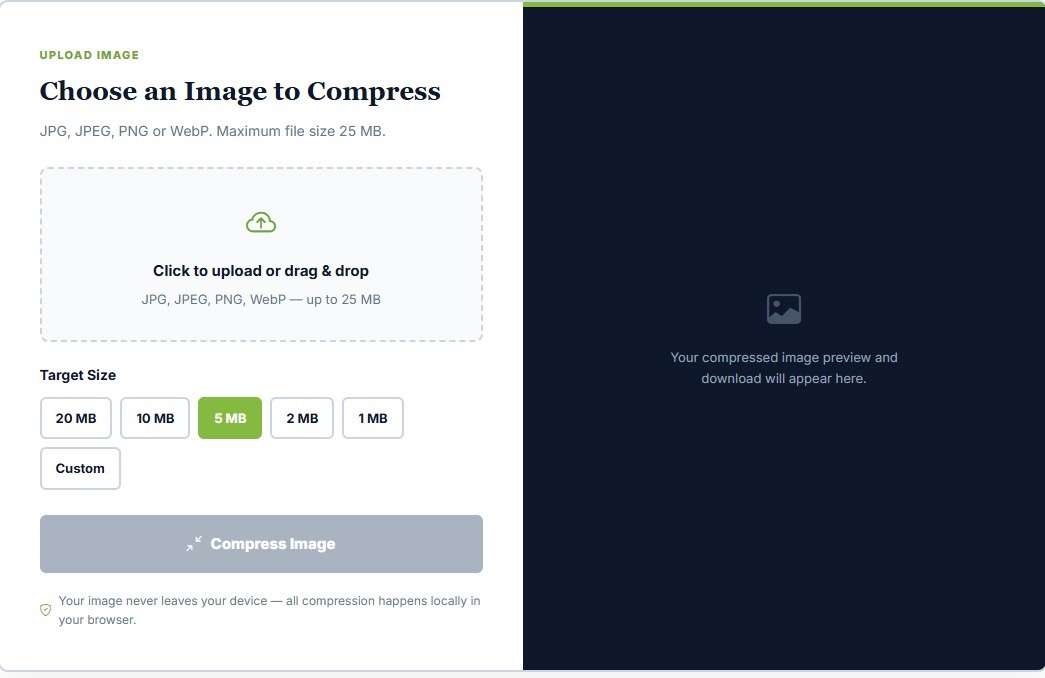
Image Resizer & Compressor Online – Reduce or Increase Image Size
In today's digital environment, uploading documents, photographs, signatures, and certificates requires strict adherence to specific file size limits. Whether you are filling out government job recruitment forms, university admission applications, scholarship portals, or corporate registration pages, almost every digital platform enforces strict file dimensions and size constraints. Often, a scanned photograph or certificate is too large to upload, while in other scenarios, a platform might require a specific minimum file size to prevent upload errors.
The JobBodh Image Size Reducer & Increaser Online is a powerful utility designed to help you precisely adjust the file size of an image according to your exact requirements. You can effortlessly shrink a bulky image file or increase its storage size without needing to manually edit, crop, or distort the visual quality of your pictures.
Use the JobBodh Image Size Tool: Click Here
What is an Image Size Reducer & Increaser?
An Image Size Reducer & Increaser is an advanced web-based tool that allows you to alter the digital weight (measured in KB or MB) of an image file.
- Reducing File Size: If your high-resolution camera photo or scanned document is 3 MB and a recruitment portal requires the file to be under 100 KB, a reducer compresses the file data efficiently while maintaining visual clarity.
- Increasing File Size: Conversely, if a specialized server or verification portal rejects files that are too small and demands a minimum file size threshold, an image increaser safely pads the file data to meet those specifications.
Why Are Image File Size Limits Important for Online Forms?
Government recruitment boards (such as UPSC, SSC, Banking, Railways, and State Public Service Commissions) and educational institutions enforce strict guidelines for document uploads for several technical reasons:
- Server Storage & Bandwidth Optimization: Millions of candidates upload documents simultaneously. Smaller, optimized files prevent server crashes and ensure smooth application processing.
- Preventing Upload Errors: Portals have programmed validation checks. If a file exceeds the maximum ceiling or falls below the minimum floor limit, the system instantly rejects the upload.
- Document Verification Integrity: Maintaining clear, readable text while constraining file size ensures that human and automated reviewers can easily verify credentials.
Deep Dive: How Compression Technology Works
Understanding how file size reduction works can help you better manage your digital assets. When an image is captured via a smartphone or flatbed scanner, it stores extensive metadata and pixel color details that far exceed what is necessary for web viewing or official document submission.
- Lossy vs. Lossless Compression: Image reducers utilize intelligent algorithms to remove redundant data. Lossy compression slightly reduces unnecessary pixel variations that the human eye cannot easily detect, leading to a dramatic drop in file weight (KB/MB). Lossless methods reorganize data compression without losing a single pixel of information, though they typically yield larger file sizes.
- Padding for Increase Operations: Conversely, when using an image size increaser, the tool appends safe structural metadata or fine-tunes compression ratios upward, ensuring the visual aspect ratio and dimensions remain entirely unaltered while satisfying the server's minimum byte-size requirements.
How to Reduce or Increase Image File Size?
Using the JobBodh Image Size Tool is completely straightforward and does not require any technical graphic design knowledge. Follow these simple steps:
- Access the Tool: Open the Click Here page directly in your browser.
- Upload Your Image: Click the upload button to select the image file (JPG, PNG, or JPEG) from your computer or smartphone storage.
- Choose Action Mode: Select whether you want to Reduce or Increase the image file size based on your form's requirements.
- Select Target Size: Choose from one of the pre-configured target size options provided by the tool.
- Use Custom Options: If your application demands a very specific file size limit, select the Custom option and type your required target size manually in KBs or MBs.
- Process the File: Click the Compress / Adjust button to let the system optimize your image file size.
- Preview and Download: Check the resulting file size, view the live preview of the processed image, and download the final file directly to your device.
Essential Tips for Managing Document Sizes Before Uploading
To ensure your online applications are never rejected due to formatting issues, keep these best practices in mind:
- Read Official Guidelines First: Always review the recruitment notification or application manual to check exact width, height, format (JPG/PDF), and file size boundaries.
- Keep Originals Safe: Always work on a copy of your scanned photograph or signature rather than the master file, ensuring you can re-adjust if needed.
- Avoid Over-Compression: While reducing file sizes, ensure that text on marksheets or facial features on photographs do not become blurry or pixelated.
- Combine with Companion Tools: If you need to bundle multiple optimized images into a single document layout for your forms, you can easily use companion utilities like the Click Here.
Some Useful Links
| Tool | Use | Direct Link URL |
|---|---|---|
| Image Compressor | Reduce image file size while maintaining quality | Click Here |
| Image Converter | Convert images between JPG, PNG, and other formats | Click Here |
| Image to PDF | Convert images into a PDF file | Click Here |
| Typing Test | Practice English and Hindi typing speed and accuracy | Click Here |
| Age Calculator | Calculate your exact age from your date of birth | Click Here |
| Join Channel | Join Telegram for daily job alerts | Click Here |